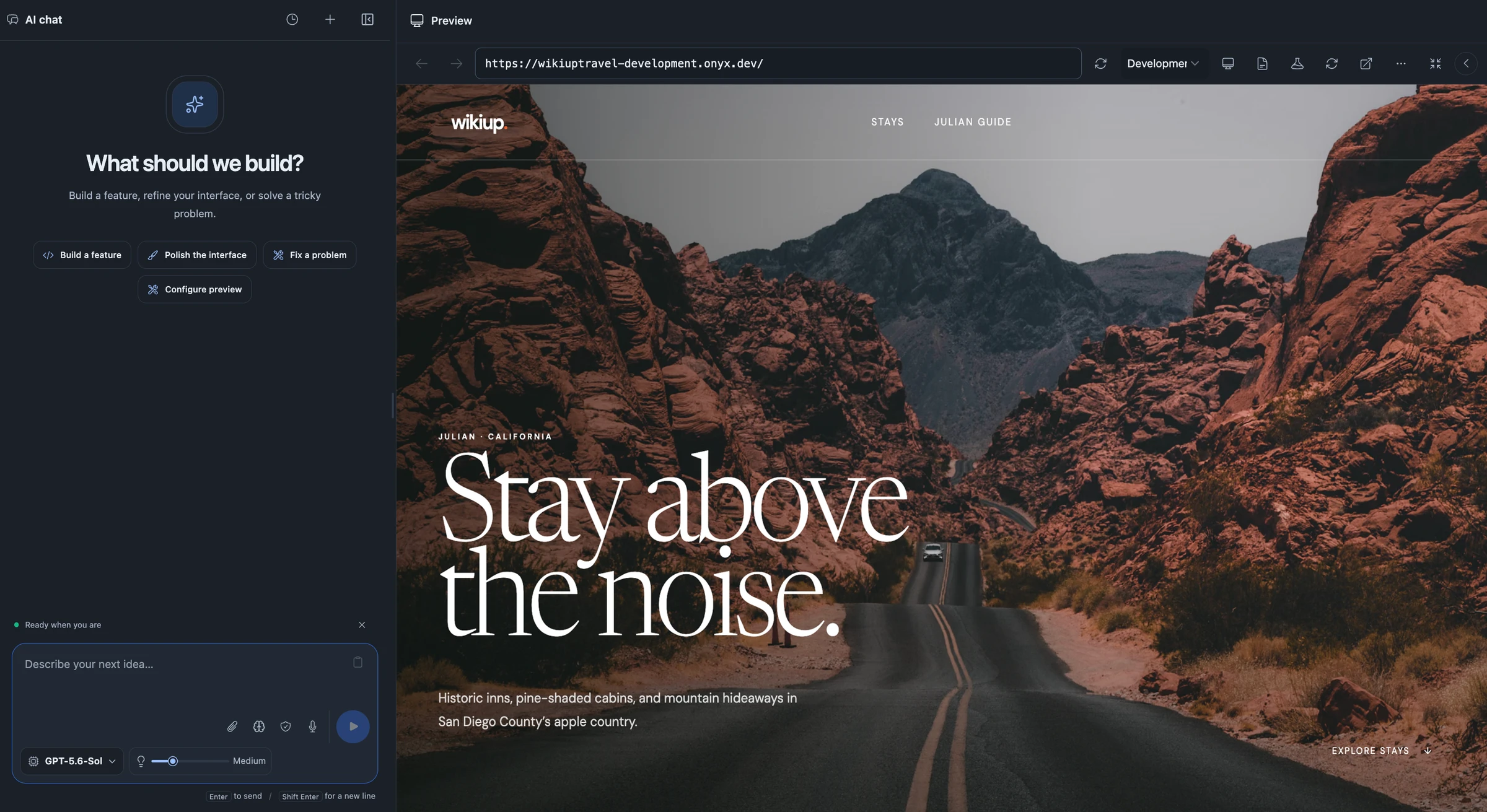
The Onyx workspace app builder

Real applications.
Not vaporware.

Onyx builds, deploys, and manages production-ready applications. Business and product owners can turn ideas into working software without a technical background. Describe what you need, refine it with AI, and manage your app from first build through launch and every update after.

Start with a web app, mobile app, or sample. Bring your GitHub repository, too.

OSupport portal
Example project

Build with Onyx

Turn the next idea into working code.

Your next step

Build a support portal with sign-in, a ticket queue, and a view of each customer’s history.

  • Choose a starter, sample, or GitHub import
  • Attach screenshots and queue follow-up tasks
  • Build beside your live application preview
Explore Workspaces
Onyx DatabaseFirebase AuthGit
An illustrative workflow. Explore each step above.
Build with plain language
Deploy to production
Manage live applications
Web + mobile releases

One platform, from data to application

Everything you build, connected.

Develop your application in Workspaces, put Agent Research to work, and bring your database and AI models into the same development process.

Workspaces

Take your idea into production.

Business and product owners can build, deploy, and manage applications through conversation with AI. Start a web or mobile app, bring screenshots or existing code, and refine the result beside a live preview.

  1. 1.Build
  2. 2.Deploy
  3. 3.Manage
  • Keep code, live previews, attachments, and task conversations together.
  • Clone environments and collect teammate approvals before syncing changes.
  • Publish web releases or build Android and iOS apps through Expo.
Explore Workspaces

Agent Research

Investigate, understand, and act.

Give an agent a question or a task. It investigates your data, runs analysis, and can create dashboards, scripts, documents, and other resources with the permissions you grant.

  1. 1.Ask
  2. 2.Investigate
  3. 3.Act
  • Choose the model, thinking level, and actions available to each task.
  • Follow progress, review evidence, and download supporting files.
  • Continue with follow-ups or resume interrupted work from saved progress.
Explore Agent Research

Onyx Database

Give your application a connected foundation.

Model your data, define relationships, search records, and access your backend through APIs and SDKs. The database sits alongside the tools you use to build your application.

  1. 1.Model
  2. 2.Query
  3. 3.Connect
  • Work with structured data, schema-defined relationships, and search.
  • Manage schemas, access keys, snapshots, and database deployments.
  • Integrate through TypeScript, Python, Kotlin, and Go SDKs.
Explore the database

Model Builder

Turn database queries into predictions.

Build neural networks from saved Onyx queries. Map features and targets, configure the architecture, monitor training, and publish a model your applications can call.

  1. 1.Map data
  2. 2.Train
  3. 3.Predict
  • Configure input transforms, output mappings, and model layers.
  • Inspect training runs and test published model versions.
  • Predict from input objects or saved scripts through the API and TypeScript SDK.
Explore Model Builder

Ready to integrate a published model? Read the Prediction API reference →

One connected workflow

Build. Deploy. Manage.

See how it works
  1. 01

    Build

    Describe your business needs in plain language. Give AI screenshots or examples and refine the working application in a live preview.

  2. 02

    Review

    Try the workflows your customers and team will use. Collect feedback, review changes, and save the version you want to release.

  3. 03

    Deploy

    Publish a version, check that it is ready, and promote it from staging to production with its data and configuration in place.

  4. 04

    Manage

    Manage environments, domains, and releases in Onyx. Request improvements as your business grows and keep your live application up to date.

Built around your application

Make the software your team needs.

Internal tools

Build the operations consoles, approval flows, and team dashboards your business needs, connected to its data.

Customer applications

Create portals and web applications with an Onyx backend, Firebase authentication, and a path from preview to release.

Intelligent products

Bring database queries, reusable agents, and published predictive models into the applications you build.

You know your business. Bring it to life.

Build, deploy, and manage the production-ready application your business needs. Onyx puts business and product owners in control, without requiring a technical background.

Build your first app